It’s a new year, which means it’s time to put our plans, ambitions, and hopes into writing—so we can chase what we want, live out our ideas, and see what time allows. Wanderlust is a powerful thing for the average Joe and Jane. Whether you already live in a major city or dream of visiting one halfway across the world, travel planning can quickly become a monumental task. What should you see? What should you do?
See Also: Trip Tracker (iOS)
WhatAPlace – Place Finder for Android and iOS aims to make that process as easy as pie. This is not your average travel and planning app—and we know that because we’ve reviewed plenty of them.
In the age of Google Maps and Street View, getting a sense of your surroundings anywhere on the globe is easier than ever. WhatAPlace builds on that foundation and then goes several steps further. It allows you to log places you’ve visited (similar to Foursquare back in the day), organize those places into lists called collections, create detailed travel routes, and discover upcoming events using advanced filters that help you find exactly what you’re looking for within a specific radius. The level of detail included here is impressive and genuinely motivating for anyone who enjoys exploring. Let’s break down what makes this app work—and why just about anyone would find it useful.
INTRODUCTION
First things first: WhatAPlace is a free install with no sign-ups required. Once installed, it thoughtfully presents a short tutorial to get you up and running (kudos to the developer for including this). After that, you’re ready to go.
A map loads showing your exact location marked with a purple pin. This default view is called Map Mode. Depending on where you are, dozens—sometimes hundreds—of pins immediately appear around you. These pins represent points of interest nearby. You’re not locked into one location, either. Move the map, pan to another city, or jump across the globe entirely, and new pins populate wherever you land.
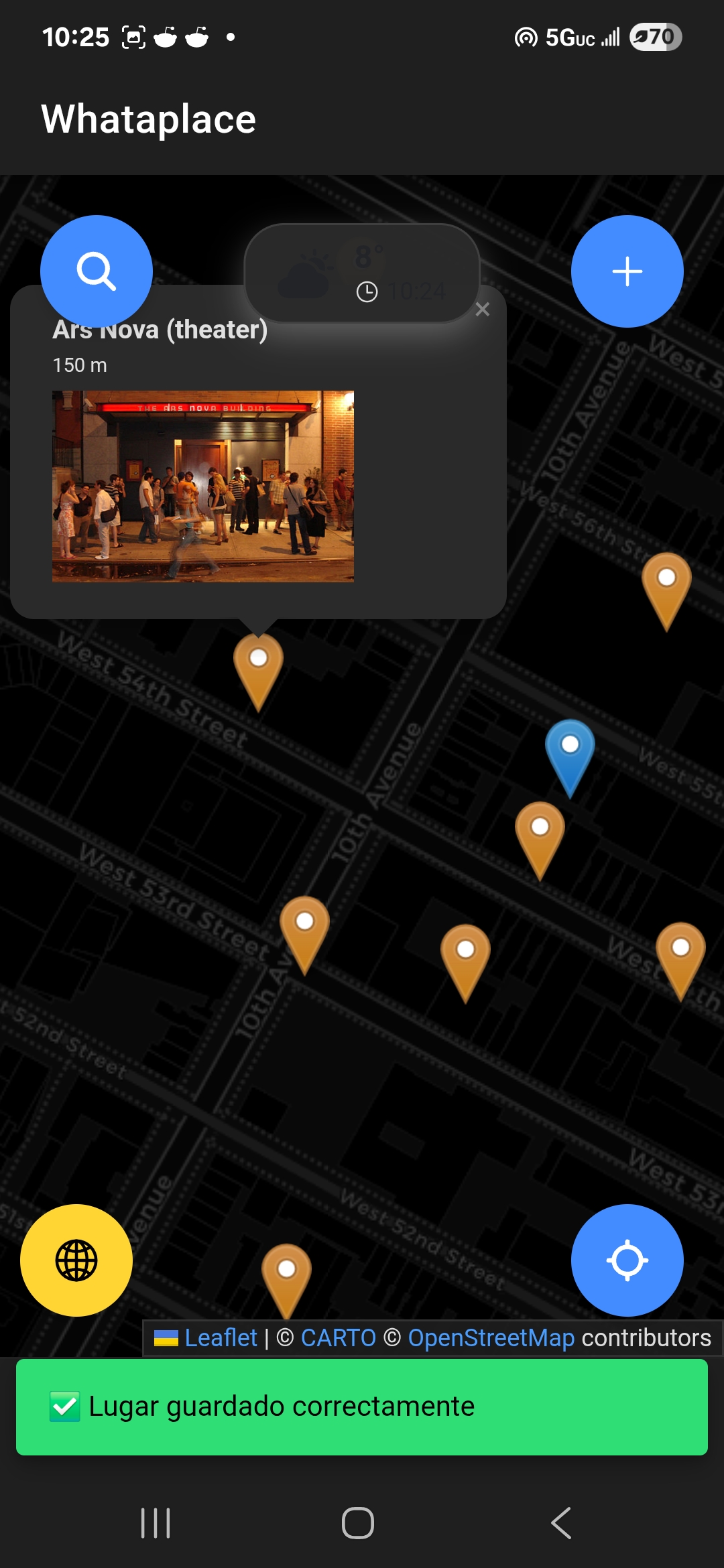
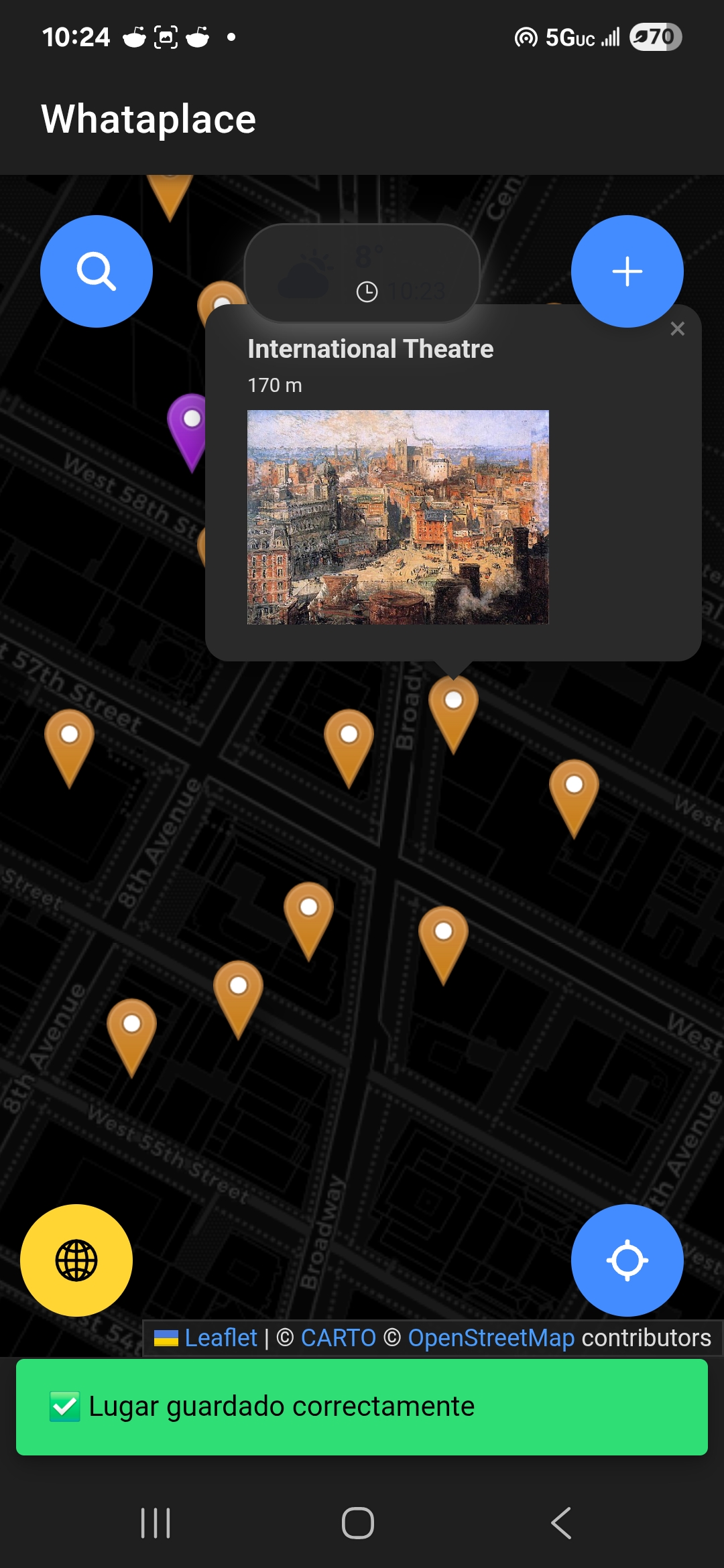
Map Mode Is The Default View Of WhatAPlace
Points of interest span a wide range of categories, including cafés, restaurants, hotels, education (schools, colleges, universities), sports venues, concert halls, shopping, and much more. Tap on any pin and you’re presented with detailed information—often entire pages worth. The app is powered by Google Maps, Wikipedia, and other data sources, and this combination effectively turns WhatAPlace into a walking encyclopedia.
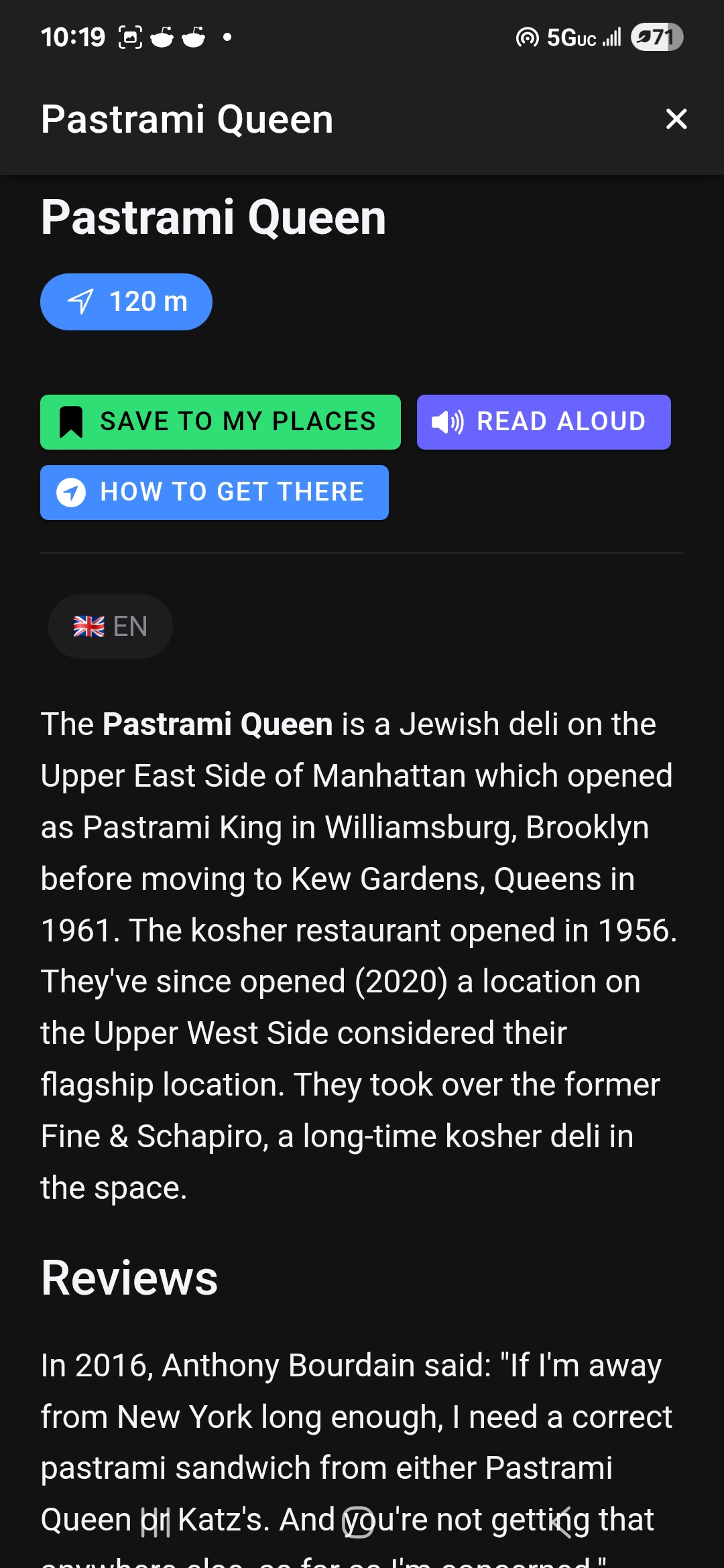
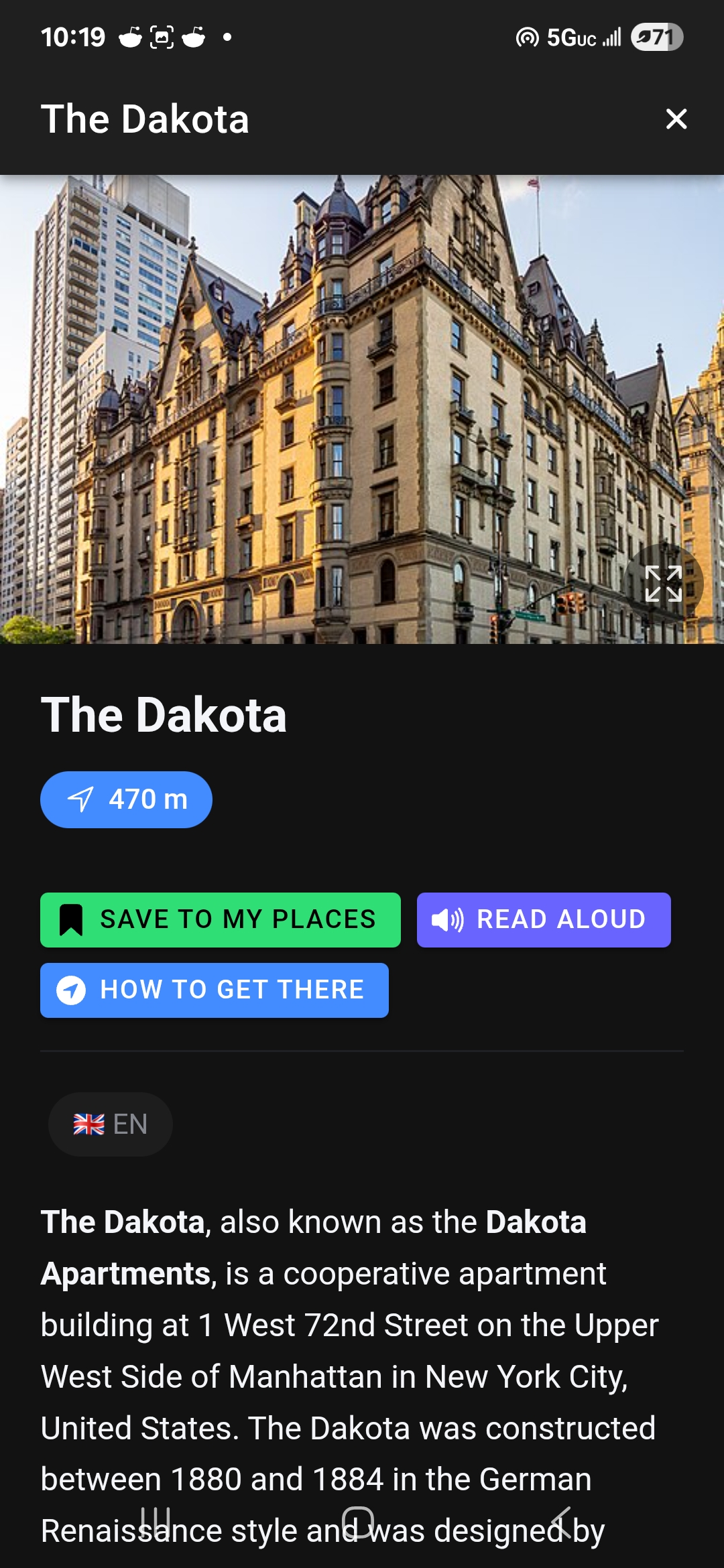
Clicking On Any Pin Gives You A Detailed Description Of Each Location
While viewing a location, you can save it by tapping Save to My Places, have the description read aloud, or instantly get directions by selecting How to Get There. It’s simple, intuitive, and refreshingly direct.
COLLECTIONS
Using WhatAPlace as a reference tool is only one part of the experience. You can also use it as a personal catalog of your travels. The Collections feature lets you organize places you’ve visited—or plan to visit—for easy recall later.
This works much like collections on other social media apps. Tap the My Places icon in the bottom menu, switch to Collections from the top strip, and hit the plus icon. You’ll be prompted to add a title, description, and select from a variety of category icons.
In our case, we created three collections: one called “Venue Hopping” for concert halls, another called “Walking Around NYC”, and a third simply titled “NYC.” The latter two were used to organize areas we explored on foot.
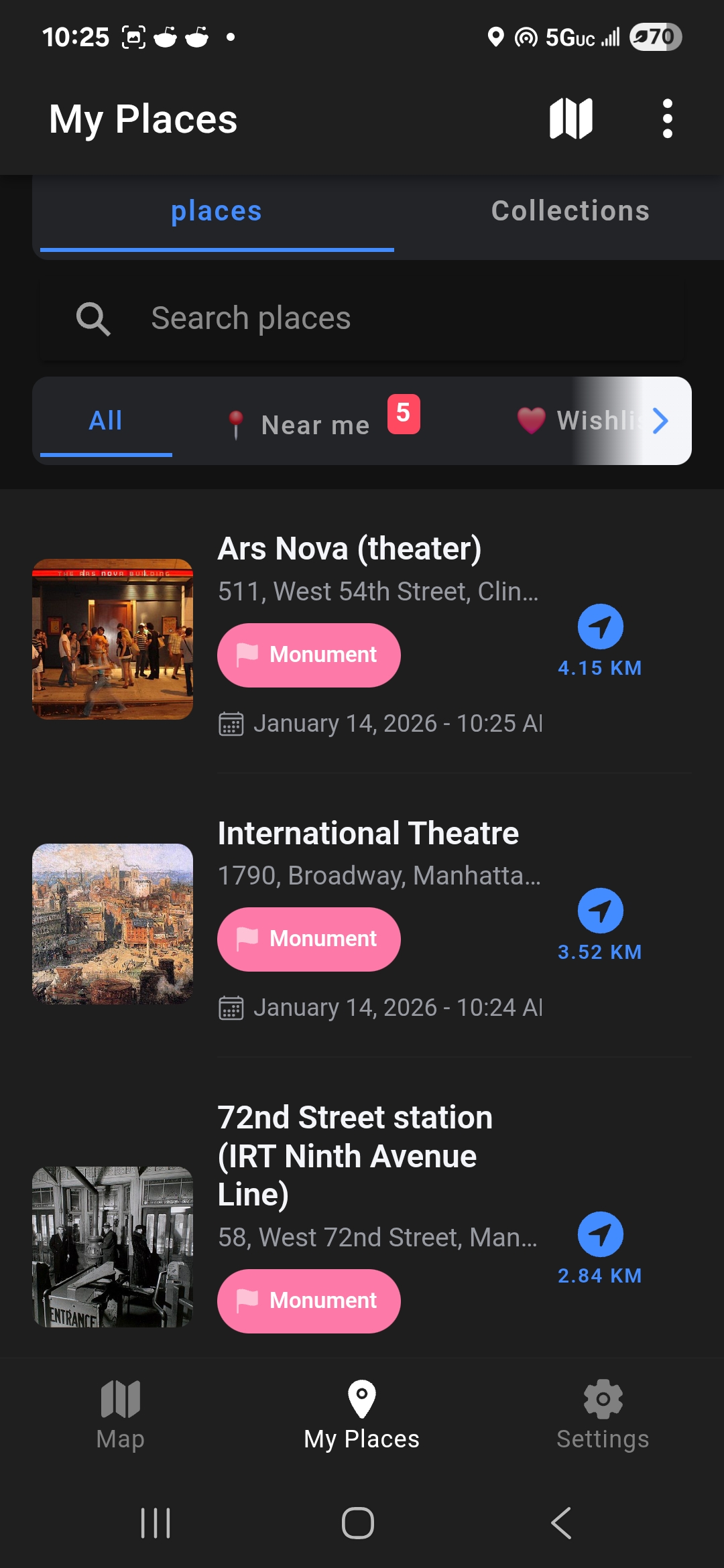
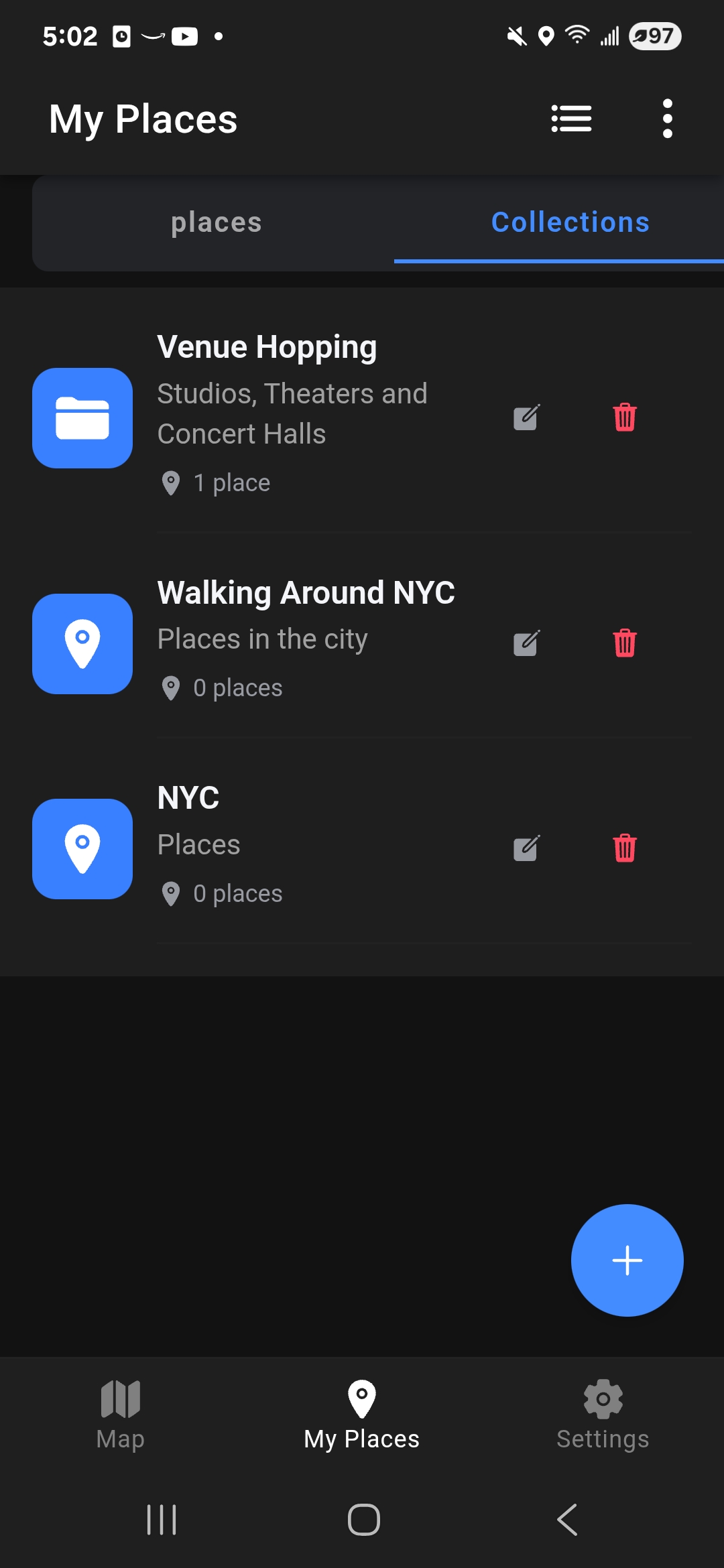
Any Place Can Be Saved To Collections
Map Mode ties directly into this system. When browsing pins in Map Mode, tapping Save to My Places stores that location in your Places area, where it can then be added to any collection you choose. You can create unlimited collections and delete them whenever you like.
And there’s more. Within this section, you can also create routes to organize trips between saved places—perfect for planning multi-stop outings or full travel days. You can view detailed stats as well, including the number of saved places, photos, countries, and cities. The app even shows your most visited countries, favorite categories, and how many places you’ve visited each year. It’s easy to imagine seasoned travelers proudly sharing these stats on social media, especially around the holidays when travel bragging rights tend to surface.
See Also: Mapping! (Android)
YOUR OWN WAY
One of the best features of WhatAPlace is that you’re not just consuming information—you’re contributing to it. Visit a place inspired by what you saw on the map? You can add your own photos so others can see it through your lens. Visit somewhere that isn’t listed at all? You can create the location yourself.
In Map Mode, simply tap the plus icon to add a new place. You’ll be prompted to enter a name, title, description (using a rich text editor), category, phone number, website, and unlimited photos. Photos can be taken on the spot or uploaded from your gallery, which is perfect if you want to stay in the moment and document everything later.
It’s also worth mentioning the four on-screen controls visible in Map Mode. The search icon lets you find places by name or category. The plus icon adds a new place. The globe icon in the bottom left allows you to switch cities instantly, and the compass icon in the bottom right updates your current location. Everything is exactly where you’d expect it to be.
Sell Apps And Keep 100% Of Your Profits! Join GiveMeApps Today!
CONCLUSION
WhatAPlace is the app you didn’t know you needed—and wish had been released sooner. It brings together features that would normally require several different apps and packages them into one cohesive experience. In practice, its rich feature set had me constantly asking, “What do I want to do this weekend?” and “What might my summer trip look like?”
This app will earn a permanent spot on my daily-driver device. Beyond planning outings, its archive of places-gone-by makes it a practical tool for exploring the history of an area as well. WhatAPlace doesn’t just support wanderlust—it actively fuels it. It’s absolutely worth the download. You can grab it here and here.
Like This Article? Chat About It And More In The GiveMeApps Community!